By TerraSense, for Conservation and Field Teams
Field Comms That Keep Working Where the Signal Ends.
TerraField connects rangers and field teams over a long-range radio mesh when there is no cell coverage, and syncs to the cloud the moment a connection returns. Map, messages, SOS, observations and tasks, in one app.


Free to download. iOS 15.1 or later, Android 7.0 or later.

Terrasense Connected
Naledi Mokoena · NMK · 0x4F2A
Conservation Network
Big Shortcuts for the Field
1 / 12Tap the phone to explore. A made-up reserve and people.
- Works With No Cell Signal
- Priority SOS Alerts
- 7 Languages
- iPhone and Android
How it works
No Towers? No Problem.
Cell networks rarely reach deep into a reserve. TerraField doesn't need them: your team's radios form the network.
Step 1
Pair a TerraSense Radio
Connect your phone to a TerraSense LoRa radio over Bluetooth, carried on your belt or mounted in a vehicle.
Step 2
Work Anywhere
Messages, positions, SOS alerts and captures hop radio to radio across the landscape, with no cell towers involved. Whatever can't go yet waits safely on the phone.
Step 3
Sync to Base
TerraSense Nomad gateways bridge the mesh to the cloud, so base sees the team live. When a phone finds internet, it syncs directly too.
Features
Everything Your Team Needs. Signal or Not.
One app for the map, messages, SOS, captures and tasks, built for places the cell network forgot.
Live Team Map
Your Whole Team, on One Map.
People, radios and vehicles live, with geofences, sightings and offline maps for the bush.
Emergency SOS
SOS That Always Gets Through.
One tap. Top priority. Never muted.
Messaging
Messages That Find a Way.
Over the internet when there's signal, over the radio mesh when there isn't.
Hey Terra
Ask Hey Terra.
Questions about your reserve, answered from your own team's data, never the open internet.
Observations and Reports
Capture It Once.
Photos, voice and notes, saved offline and sent when you're back.
Tasks
Tasks With a Trail.
Start, finish, time taken and route, synced to base.
Find and Navigate
Find Anyone, Anywhere.
Compass and AR guidance to a person, place or sighting.
Privacy You Control
Your Location, Your Rules.
Choose who sees it, how precisely and when. Lock the app with Face ID or your fingerprint.
Problems We Solve
Every Feature Starts With a Problem.
What goes wrong in the field, and how TerraField fixes it. In the app in every ranger's pocket, and in the web portal at base.
Most of the Reserve Has No Cell Signal. Your Team's Radios Become the Network.
- In the App
- Messages, positions, SOS alerts and text captures hop radio to radio over LoRa. Everything else waits safely on the phone and syncs when a connection returns.
- In the Portal
- Nomad gateways bridge the mesh to the cloud, so base sees radio-only rangers live, right next to everyone who's online.
Nobody Knows Where Everyone Is. One Live Map, in the Field and at Base.
- In the App
- People, radios, sightings and reports on one map, with geofences, KML overlays and offline map packs for the bush.
- In the Portal
- A live map that refreshes every 15 seconds, with patrol trails, heat maps over 7 to 90 days and satellite imagery.
An Emergency Depends on Someone Hearing the Call. SOS That Reaches Everyone, Signal or Not.
- In the App
- One tap records a short voice message, transcribes it on the phone and sends it with your location, over radio or internet, on a lane mutes never silence.
- In the Portal
- SOS alerts are drawn on top of the live map and lead the dashboard's Needs Attention strip.
Sightings and Incidents End Up in Notebooks. Capture It Once. Find It Forever.
- In the App
- Observations and reports by voice, text or photo, optionally linked to a task, and queued offline until they can upload.
- In the Portal
- Every report and observation in one place, filtered by reserve, date, type and category, with photos and CSV export.
Work Is Handed Out by Word of Mouth. Tasks With Proof of Work.
- In the App
- Accept, start and complete tasks, or log your own work. Each one records its duration, distance and GPS trail.
- In the Portal
- Create and assign tasks, then follow the status, distance and average speed of every one.
Finding a Colleague in Thick Bush Takes Too Long. Search, Then Follow the Arrow.
- In the App
- Find people and radios by voice or text, then follow compass or AR guidance with live distance and bearing.
The Answers Are Buried in the Data. Ask, Don't Dig.
- In the App
- Ask HeyTerra by voice or text who is closest, who was speeding or where a sighting was, answered only from your reserve's data.
- In the Portal
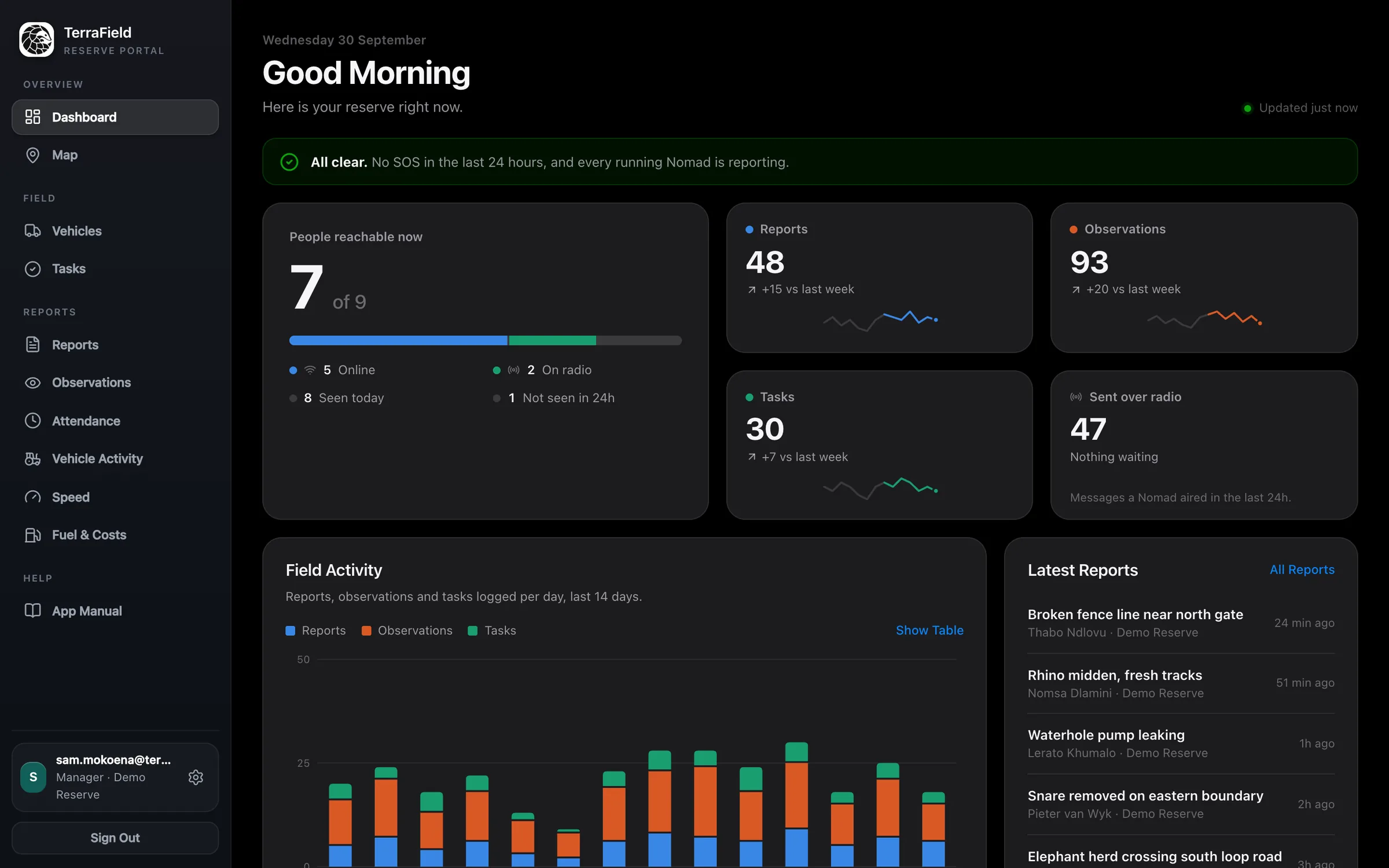
- The dashboard shows who is reachable now, this week's activity against last week and the latest reports, refreshed every minute.
Rules Only Work While Someone Is Watching. Rules That Watch for You.
- In the Portal
- Set zone, speed and after-hours rules for people, vehicles or radios. The server checks them every minute and alerts managers or the whole reserve by push and email.
Vehicles Speed and Fuel Goes Missing. Every Litre and Kilometre Accounted For.
- In the App
- Scan Values reads fuel slips, pump meters, odometers and scales straight from a photo.
- In the Portal
- Speed events over the limit you choose, a vehicle register, and fuel totals with litres per 100 km for each vehicle, all exportable.
Attendance and Gate Movements Are Guesswork. Presence From GPS, Not Paper Registers.
- In the Portal
- Attendance compares each person's trail with the reserve's work hours and work zone. Vehicle Activity counts visits to gates, workshops and diesel points from geofences you draw on the map.
A Silent Gateway Goes Unnoticed for Days. The Network's Health at a Glance.
- In the Portal
- The dashboard flags Nomad gateways that have gone quiet or down, and radio messages still waiting to go out.
Location Tracking Erodes Trust. Privacy People Can Live With.
- In the App
- Each person chooses whether their location is shared, how precisely, on which days and hours, and with whom. Lock the app with Face ID or a fingerprint.
- In the Portal
- Managers see only the reserves they manage, and team members only their own records.
Portal modules for the map, tasks, observations and analytics are switched on per reserve.
Built for the Field
Simple Enough to Use
With Gloves On.
A dark, high-contrast interface with big targets and short paths, so the thing you need is never more than a tap or two away.
- Readable in Full Sun
- Easy on the Eyes at Night
Speaks Your Team's Language
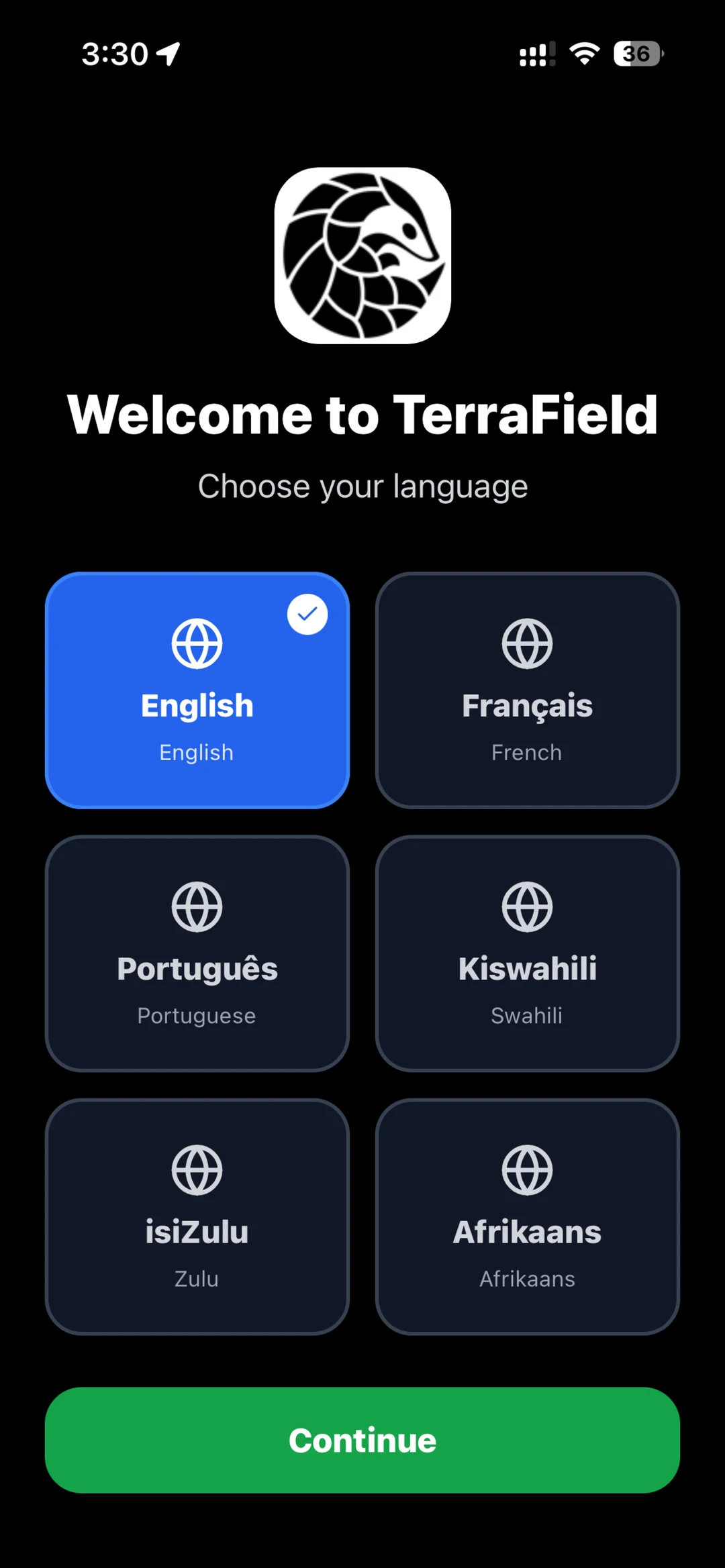
Pick from 7 languages on first launch, and change it any time from your account. Available in English, Spanish, French, Portuguese, Swahili, Zulu, Afrikaans.
Big Buttons, Fewer Taps
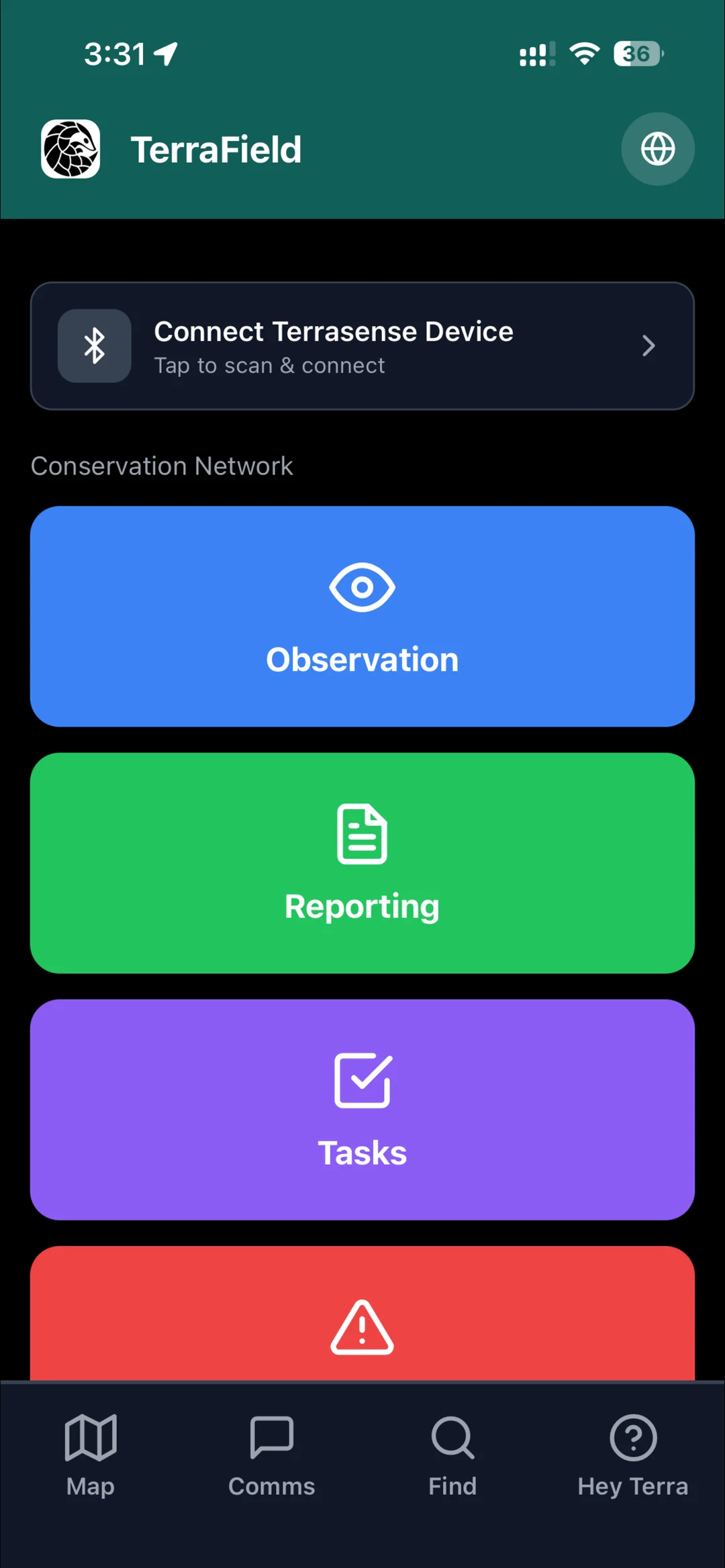
Observation, Reporting, Tasks and Emergency sit one tap from home, sized for a thumb in a glove.
Pair a Radio Over Bluetooth
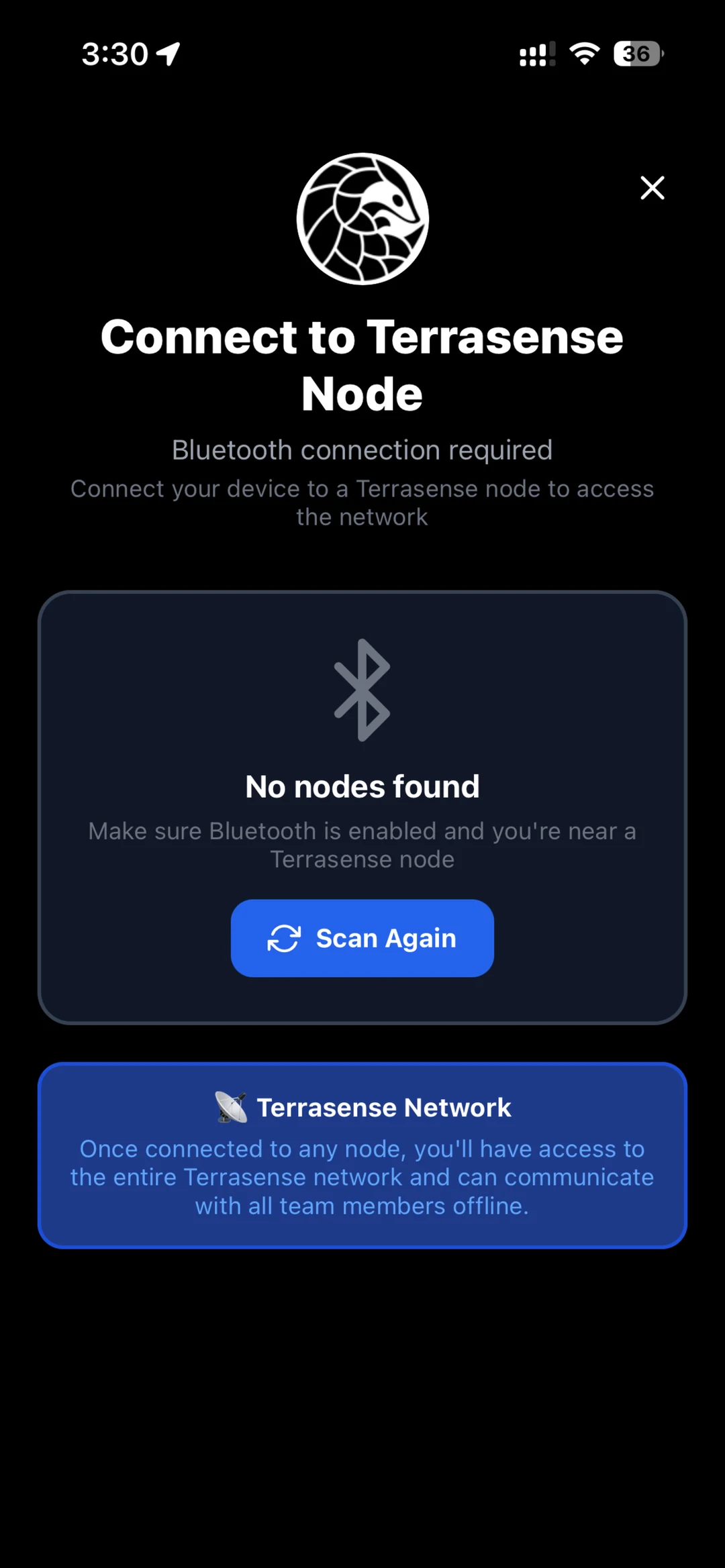
Tap to pair your TerraSense radio. If the link drops, the app finds it again on its own.
For Reserve Managers
See the Whole Team From Base
Everything captured in TerraField lands in the TerraSense web portal: a live map of people and radios, reports and observations, tasks, vehicle activity and speed events, with CSV export for your records.
- Live Map of People, Radios and SOS Alerts
- Reports, Observations and Tasks in One Place
- Attendance and Vehicle Activity From GPS and Geofences
- Zone, Speed and After-Hours Rules That Alert You
- Fuel Use and Costs From Slips Scanned in the App
- Access Scoped to the Reserves You Manage
- Open the Manager Portal
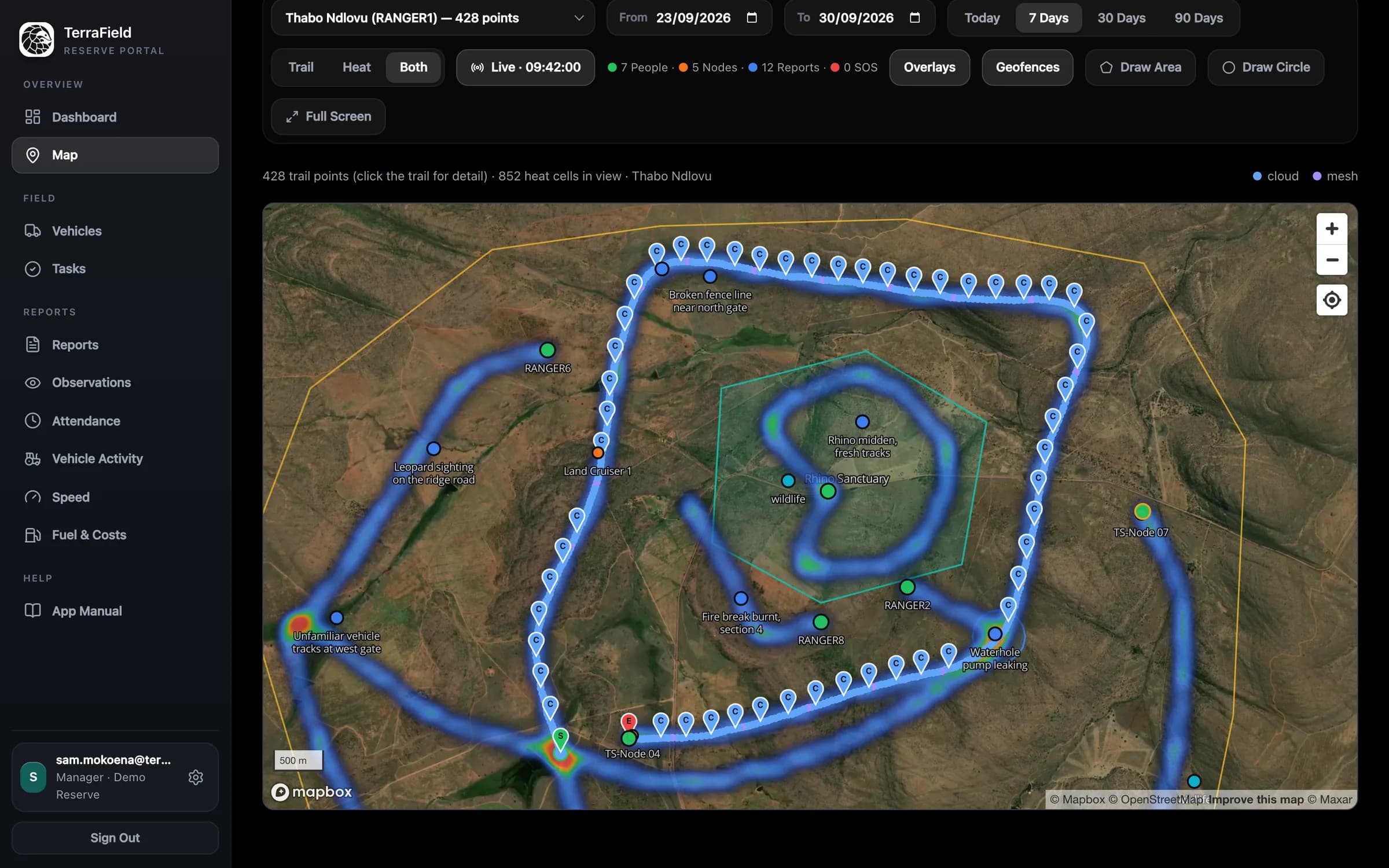
Dashboard
1 / 11Who's reachable, what's been logged and anything that needs you, at a glance.
Screens show a demo reserve with made-up people and data.
FAQ
Questions, Answered
What Is TerraField?
TerraField is a mobile app for conservation and field operations teams, made by Terrasense (PTY) Ltd. It puts a live team map, messaging, emergency SOS, observations, reports and tasks in one app, and keeps them working where there is no cell signal.
Does TerraField Work Without Cell Signal or Internet?
Yes. When your phone is paired with a TerraSense radio, messages, positions, SOS alerts and text captures travel over a long-range LoRa radio mesh. Anything that needs the internet, such as photos, is queued on the phone and syncs automatically when a connection returns.
What Hardware Do I Need?
A phone running iOS 15.1 or later or Android 7.0 or later. For off-grid communication you also need a TerraSense LoRa radio, paired over Bluetooth, and your area needs TerraSense Nomad gateways to link the mesh to the cloud. Without a radio, TerraField works over normal mobile data or Wi-Fi.
Does TerraField Work With Meshtastic Radios?
TerraSense radios are built on Meshtastic-compatible LoRa hardware, and TerraField talks to them over Bluetooth. TerraSense sets up the channels and encryption for each reserve's network, so the radios, phones and Nomad gateways work together as one mesh.
Is TerraField Free?
TerraField is free to download from the App Store and Google Play. Organisations set up the TerraSense network (radios and gateways) with TerraSense. Contact TerraSense to discuss a deployment.
Who Is TerraField For?
Rangers, anti-poaching units, reserve managers and field teams on game reserves, and any team working in remote places without reliable coverage. TerraField is built in South Africa by Terrasense (PTY) Ltd and used on reserves in South Africa and Mozambique. TerraSense also supports agriculture, mining and security operations.
Which Languages Does TerraField Support?
English, Spanish, French, Portuguese, Swahili, Zulu and Afrikaans. You choose your language when you first open the app.
How Does TerraField Handle My Location?
You decide whether your location is shared, how precise it is, on which days and during which hours, and who can see it. Location is never sold or used for advertising. The privacy policy has the full details.
How Do Managers See What the Team Is Doing?
Through the TerraSense web portal at admin.terrasense.org, where managers see the live map, people, reports, observations, tasks and vehicle activity for the reserves they manage.
Can I Delete My TerraField Account?
Yes. Open your Account page in TerraField and tap Delete Account, or email TerraSense. The support page explains exactly what is erased and what your organisation keeps.
Put TerraField in Your Team's Pockets
Download the app, or talk to TerraSense about setting up radios and gateways across your area.